Vintier / Export Vinted sales
Export your Vinted sales
Your Vinted sales, in a spreadsheet.
Vinted doesn't give you a download of your sales with what you paid for each item. Vintier does: one file for Excel or Google Sheets, or one laid out for Xero, FreeAgent or QuickBooks, adding up to the same profit you see on screen.
- Free for your newest sales
- £14.99 once, no subscription
- Your sales stay on your computer
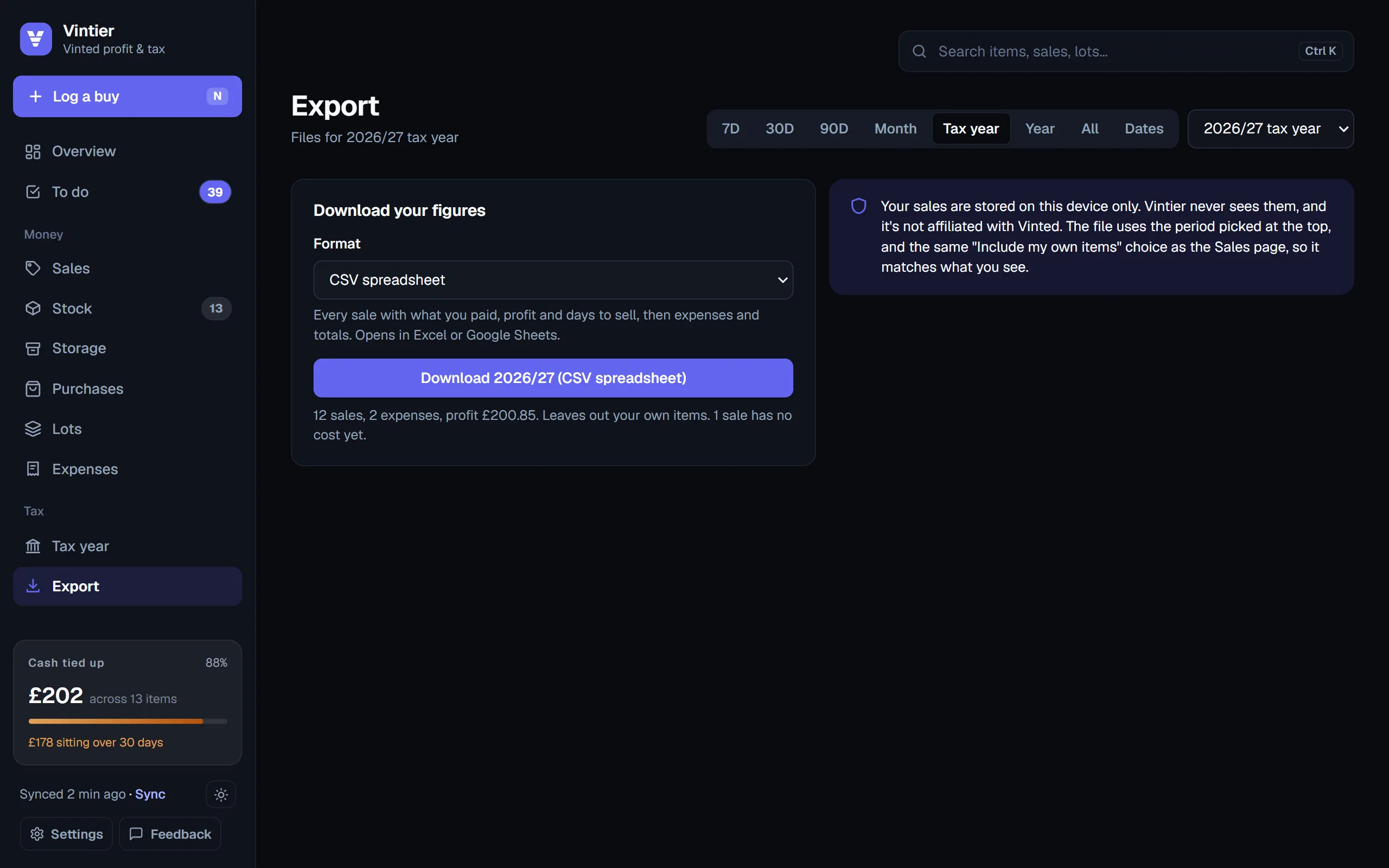
Four files
Pick the file you need.
| File | What's in it |
|---|---|
| CSV spreadsheet | Every sale with its date, item, sale price, what you paid, profit and days to sell, then your expenses and the totals. Opens in Excel, Numbers or Google Sheets, with £ signs intact. |
| Xero | A bank-statement file in Xero's import layout (date, amount, payee, description, reference): each sale as money in, each cost and expense as money out. |
| FreeAgent | The three-column statement layout FreeAgent takes: date, amount, description. |
| QuickBooks Online | Date, description and amount, laid out for a QuickBooks bank upload. |
Each file covers the same period as the screen: a month, the UK tax year, a calendar year, all time or your own dates. Your own old clothes are left out unless you choose to include them, so the totals match your trading figures.
Why it's different
Sales with their costs, not just a list.
A plain list of sales only tells you what came in. The useful part is what each item cost you, and that's the part Vintier works out: it matches each sale to the Vinted purchase it came from, or uses the cost you typed for things bought elsewhere, or a fair share of a lot.
- Costs dated properly: in the accounting files, a cost goes on the day you bought the item (or the sale day, if you typed the cost in yourself), and a sale on the day it completed.
- Adds up: each accounting file sums to the profit Vintier shows for the same period.
- Safe to open: text that could be read as a spreadsheet formula is made harmless before it's saved.
- For your tax year too: the Tax year page has its own spreadsheet of every money line, and a one-page summary to print.
How to do it
Three steps.
- Add Vintier to Chrome, sign in to Vinted as usual and press Sync. Your sales, purchases and listings come in, in about a minute.
- Open the dashboard, check any sales that need a cost (they're on your To do list), and pick a period.
- Go to Export and choose CSV, Xero, FreeAgent or QuickBooks. The file downloads straight to your computer.
Nothing is uploaded anywhere: the file is made in your browser from data that's already on your computer. Exports are part of Lifetime (£14.99, once).
Questions
Questions people ask.
Can I download my sales from Vinted itself?
Vinted shows your sales in My orders, but without what you paid for each item. Vintier adds the cost and profit, and gives you a file.
Does it work with Google Sheets?
Yes. Open the CSV file in Google Sheets, Excel or Numbers.
Do I need Xero or QuickBooks?
No. Most sellers just use the CSV. The accounting files are there if you or your accountant already use one of them.
Is exporting free?
Exports are part of Lifetime, £14.99 once. The free plan shows profit on your newest sales.
Keep reading
More about Vintier.
Know what your Vinted is really making.
Free for your newest sales. £14.99 once for everything.