Vintier / Vinted inventory tracker
Vinted inventory tracker
Know what's on your shelf, and what it cost.
Vintier puts everything you've bought, listed and sold on Vinted in one list: what each item cost, what it's listed or sold for, how long it's been sitting, and which box it's in. It builds itself from your Vinted account.
- Free for your newest sales
- £14.99 once, no subscription
- Your sales stay on your computer
One list
From buy to sale, without typing it in.
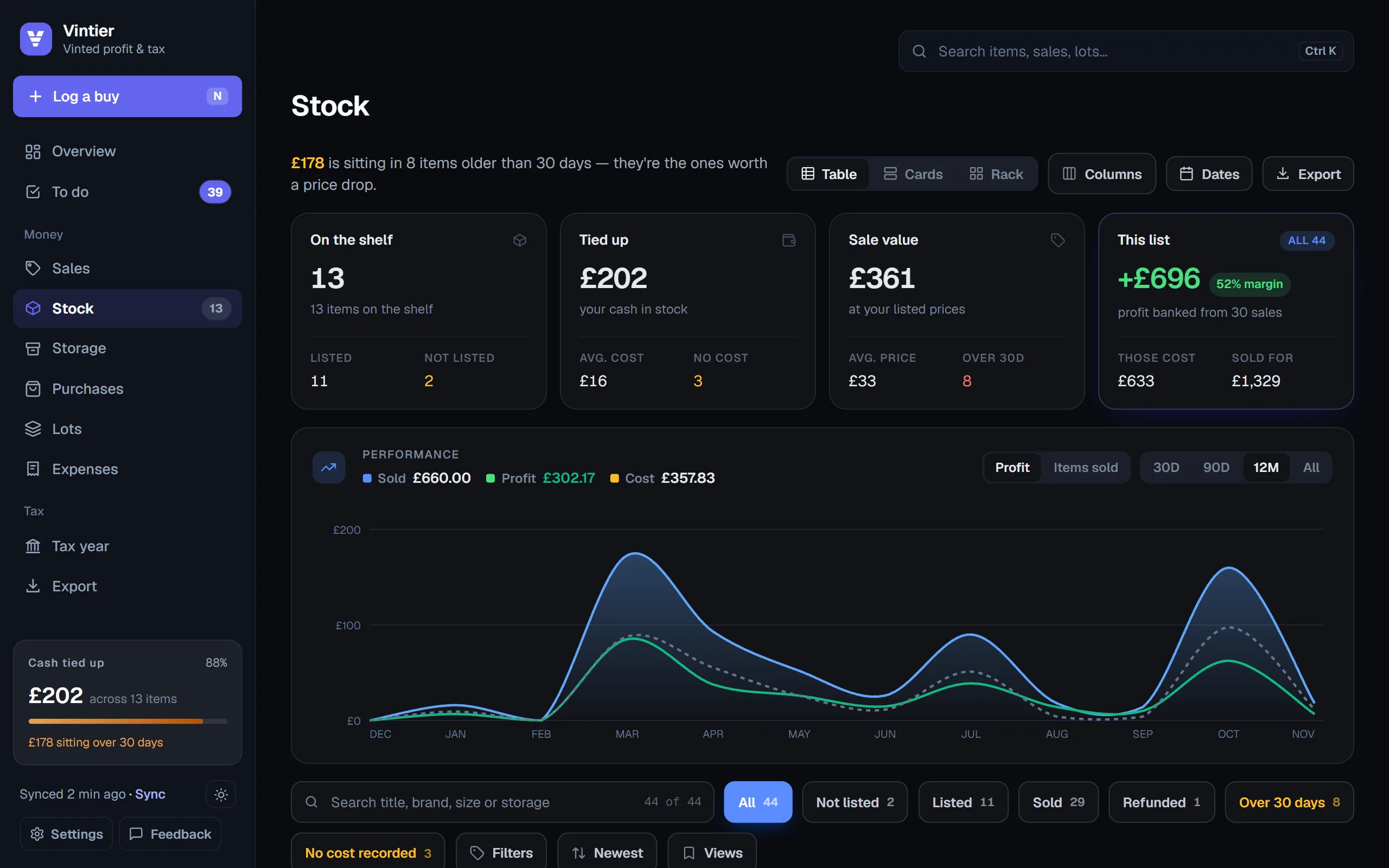
When you press Sync, Vintier reads your Vinted purchases, your live listings and your sales. Each purchase becomes an item in your stock. When it's listed, the item shows its listed price. When it sells, it moves to Sold with its profit. You don't add anything by hand unless you bought it somewhere else.
| Tab | What's in it |
|---|---|
| Not listed | Things you've bought that aren't on Vinted yet |
| Listed | Live listings, with the price and what you'd make if it sells |
| Sold | Finished sales, with profit and days to sell |
| Over 30 days | Stock that's been sitting a month or more: time for a price drop |
| No cost recorded | Items where Vintier doesn't know what you paid yet |
| Refunded | Cancelled sales |
Money sitting still
See the cash tied up in your stock.
Stock you haven't sold is money you can't spend. Vintier adds up what you paid for everything still on the shelf, shows how much of it has been sitting over 30 days, and keeps that figure in the sidebar so you see it every time you open it.
- Age at a glance: green when it's fresh, amber after two weeks, red after a month.
- Stale and drop due: listings that have sat too long, or longer than your usual time to sell.
- Sell-through: how much of what you bought has sold.
- Profit waiting: what your listed stock would make at its current prices.
Stay organised
Boxes, rails and bulk buys.
Storage places
Name your boxes, rails and shelves once (Box A, Rail 2), give each item a place, and see what's in each one and what it cost. When something sells, you know where to find it.
Lots and bundles
Bought a kilo bag, a car boot job lot or a Vinted bundle? Log it once with what you paid. Vintier shares the cost across what sells from it and shows how much is left to earn back before it's paid for itself.
Your view, your way
See your stock as a table, as cards, or as a photo rack. Search by title, brand, size or storage place, sort by age or profit, save the views you use, and export the list to Excel or CSV.
It's read-only on Vinted: Vintier never lists, edits or relists anything. It just shows you what's there.
Questions
Questions people ask.
Do I have to add my stock by hand?
No. Your Vinted purchases and listings come in when you press Sync. You only type in things you bought somewhere else.
Can it change my Vinted listings?
No. Vintier only reads. Changing a price or relisting is done on Vinted as usual.
How does it know an item is listed?
It reads your live listings and pairs each one with the purchase it came from, by title. You can confirm or change any pair.
Can I export my stock list?
Yes, to Excel or CSV, on Lifetime.
Keep reading
More about Vintier.
Know what your Vinted is really making.
Free for your newest sales. £14.99 once for everything.