Vintier / Choosing an app for Vinted
Choosing an app for Vinted
What makes a good app for Vinted sellers?
There are spreadsheets, subscription web apps and browser extensions. Before you pick one, here are the questions worth asking, and our honest answers for Vintier.
- Free for your newest sales
- £14.99 once, no subscription
- Your sales stay on your computer
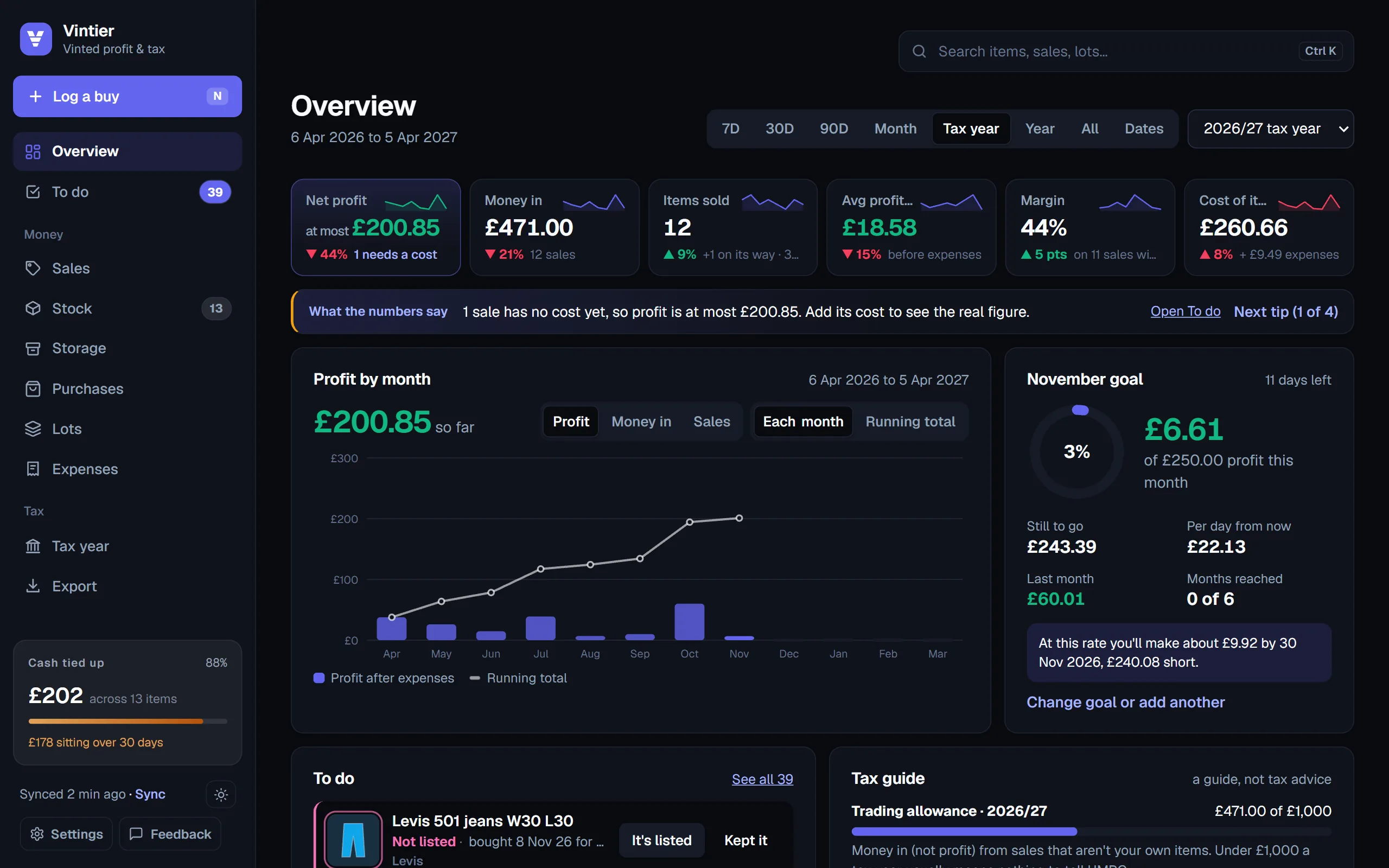
The checklist
Seven questions to ask.
1. Does it fill itself in?
Typing every sale and every buy is what makes spreadsheets fall behind. A good tool reads your Vinted sales and purchases for you. Vintier: press Sync while signed in to Vinted and it reads your sales, purchases and listings in about a minute. It can remind you to sync, or sync by itself once a day.
2. Does it know what you paid?
Plenty of tools show money in. Profit needs the cost of each item. Vintier: matches each sale to the purchase it came from by title; you confirm with one click, type costs for things bought elsewhere, or log a haul once as a lot.
3. Where does your data go?
Some apps copy your sales to their own servers, and some need your Vinted login. Vintier: no account, no password, and no server that could hold your sales. Everything is read in your own Chrome and saved there.
4. Can it change your Vinted account?
Tools that list, relist or message for you need more access, and that comes with more risk. Vintier: read-only. It never lists, edits, messages, buys or opens your Vinted balance.
5. What does it cost over a year?
A monthly subscription adds up: £10 a month is £120 a year. Vintier: free for your newest sales, and £14.99 once for everything, with a 14-day refund.
6. Does it understand your tax year?
UK sellers think in tax years (6 April to 5 April), with the £1,000 trading allowance and Vinted's reporting to HMRC. Vintier: a Tax year page with turnover, allowance against your real costs, quarters, a checklist and a printable summary. France and Germany get their own pages too.
7. Can you get your data out?
Your records should never be stuck in an app. Vintier: exports to CSV for Excel or Google Sheets, and files for Xero, FreeAgent and QuickBooks.
The three kinds
Spreadsheet, web app or extension?
| Spreadsheet | Subscription web app | Vintier (Chrome extension) | |
|---|---|---|---|
| Fills itself in | No | Usually | Yes, when you sync |
| Matches costs | By hand | Varies | Yes, by title |
| Where your sales live | Your file | Their servers | Your computer |
| Cost | Free | Monthly | Free, or £14.99 once |
| Works on your phone | Yes | Often | No, Chrome on a computer |
That last row is a real trade-off: Vintier runs in Chrome on a computer, so it isn't for logging buys on your phone in the shop. If you want everything on your phone, a web app may suit you better.
Being honest
When a spreadsheet is enough.
If you sell a handful of your own clothes a year, you probably don't need any app: Vinted's own order list is fine, and selling your own used things usually isn't taxable. A tool starts to pay for itself when you buy things to resell, sell every week, or need your figures for a tax return. That's who Vintier is built for.
The easiest way to decide is to try it: the free plan shows the profit on your newest sales, with nothing to sign up for.
Questions
Questions people ask.
Is there a free app to track Vinted sales?
Vintier is free for your newest sales (the last 30 days, or your newest 5), with the To do list, stock and expenses. Lifetime unlocks everything for £14.99 once.
Does Vintier work on a phone?
No. It's a Chrome extension, so it runs in Chrome on a Windows, Mac or Linux computer, or a Chromebook.
Does it need my Vinted password?
No. It works while you're signed in to Vinted in Chrome, and never sees or stores your password.
Which countries does it support?
Every Vinted site, including the UK, the EU countries, the United States and Australia, in your site's own currency. The screens are in English.
Keep reading
More about Vintier.
Know what your Vinted is really making.
Free for your newest sales. £14.99 once for everything.